
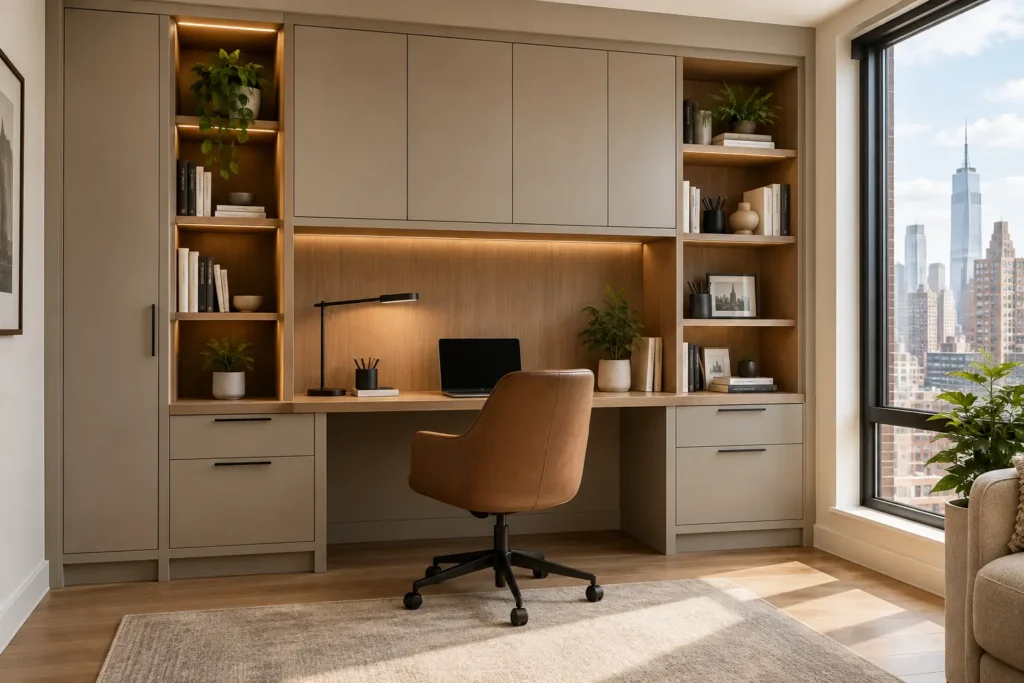
She called six months after installation.
A client in Cobble Hill, a remote marketing director, and a beautiful pre-war apartment, genuinely considered renovation. She’d done everything right on the surface: researched contractors, set a clear budget, and communicated her needs. But she made five decisions that seemed reasonable at the time and turned into daily frustrations she couldn’t unsee.
The wrong desk depth. Closed storage in the wrong places. Cable management that was never planned for. A finish that photographed beautifully and showed every fingerprint in real life. And a layout that worked for one person working from home two days a week, not for someone now doing it five.
Her office looked exactly like the plan. It just didn’t work the way life actually went.
These five mistakes aren’t unusual. They show up in home office cabinets in NYC projects constantly, not because homeowners don’t care, but because the decisions that lead to them all seem reasonable before installation. Here’s what they are and how to avoid everyone.
Mistake 1: Designing for How You Work Now, Not How You’ll Work in a Year
This is the most common mistake and the one with the longest consequences.
In 2026, hybrid and remote work patterns are still evolving. A homeowner who works from home two days a week today may be doing five days a week in eighteen months. A solo workspace may need to accommodate a second person. A minimal tech setup may grow into a full video production station.
Home office cabinets in NYC that are designed around the current setup rather than the likely future one start feeling wrong well before they need replacing. If you’re still comparing custom to stock, read our custom vs IKEA home office guide first.
What to plan for instead:
- More desk surface than you think you need: The standard advice is 60 inches minimum; most people wish they had gone wider within a year
- More closed storage than necessary: Equipment, filing, supplies, and cables all expand over time; open shelving fills up and becomes clutter
- Power capacity that exceeds current needs: Plan electrical for two or three monitors and a full equipment setup even if you only have one monitor today
- Flexibility in shelf placement: Adjustable shelving systems that can be reconfigured as the collection of books, equipment, and storage needs changes
Mistake 2: Ignoring Cable Management Until It’s Too Late
Cable management is the most consistently overlooked element in any home office renovation in NYC and the one that causes the most daily frustration after installation.
The mistake isn’t failing to manage cables. It’s thinking about cable management after the cabinets are built, when the only solutions are surface-mounted cable channels that look exactly like what they are: an afterthought. For a full breakdown of what well-designed home office storage includes, see our home office cabinets NYC guide.
Cable management built into custom home office cabinetry from the design stage looks completely different:
- Dedicated cable routing channels cut through cabinet bases and backs
- Recessed power outlets built into desk surfaces or cabinet interiors
- Pull-out tech drawers with built-in power strips and cable organization
- Wire management grommets in desk surfaces that route cables downward invisibly
- Printer shelves with access ports that hide the machine entirely when not in use
The difference between planned cable management and retrofitted cable management is the difference between an office that looks designed and one that always looks slightly in progress.
Mistake 3: Getting the Desk Depth Wrong
Standard desk depth is 24 inches. Most people need more.
A 24-inch desk fits a laptop comfortably. Add a monitor arm, a second monitor, a small speaker, a desk lamp, and a notepad, which is how most people actually work, and 24 inches becomes a daily negotiation for surface space.
For custom office storage in Brooklyn and across NYC, the desk depth question is especially important because apartment layouts create different constraints. A narrow galley study needs a shallower desk to preserve clearance. A dedicated room can support a 30 to 36-inch desk that genuinely accommodates multiple monitors and a full working surface.
The right questions to ask before finalizing desk depth:
- How many monitors will be in use at peak? Each adds 8 to 12 inches of depth requirement
- Is there a camera for video calls? Position relative to monitors affects the depth needed
- Does drawing, writing, or physical work happen at the desk, or is it exclusively screen-based?
- What needs to be within arm’s reach versus stored behind or below?
A home office renovation in NYC that gets desk depth right is one of the most impactful single decisions in the entire project.
Avoiding these mistakes starts with a design conversation before anything is built. Contact YD Woodwork for a free, no-obligation consultation today.
Mistake 4: Choosing Open Shelving Over Closed Storage
Open shelving looks cleaner in photos. In practice, it becomes the place where everything visible reminds you of something you haven’t done yet.
This is the mistake that most affects daily focus. A wall of open shelving in a home office accumulates visual clutter faster than any other surface in the apartment. Books stack sideways when the shelf is full. Papers pile in front of them. Equipment migrates to whatever flat surface is nearest. The office that looked like a design feature on day one looks like a storage problem by month three.
The configuration that works in home office cabinets NYC projects consistently:
- Closed lower cabinets: For filing, equipment, supplies, and anything that doesn’t need to be visible
- Open shelving at and above eye level: For books, display items, and reference materials you want visible
- A single display-quality open section: For curated items, not a wall of open shelving where everything competes for attention
- Cabinet doors on the video call background zone: Specifically, everything behind you in a video call should be behind a closed door
At YD Woodwork, this is one of the most common adjustments made during the design consultation. Clients come in asking for open shelving everywhere. They leave with a plan that combines open and closed storage in a ratio that actually supports daily work. The same principle applies across all our cabinetry; you can see how we handle storage balance in our custom kitchen cabinet styles guide.
Mistake 5: Treating Lighting as a Finishing Touch
Lighting is the last thing most people think about in a home office renovation. It should be one of the first.
The mistake is planning the cabinet layout, the desk position, and the storage configuration and then asking, “Where should the light go?” at the end. By that point, the integrated lighting options are gone. The recessed fixture over the desk was never planned for. The undershelf LED strips that would have eliminated screen glare weren’t included in the build. The result is a beautiful office that’s lit by a ceiling fixture that wasn’t designed for focused work.
Lighting decisions that need to happen at the design stage:
- Under-shelf LED strips: Illuminate the desk surface without creating glare on screens, eliminating the need for a separate desk lamp in many setups
- Recessed directional lighting over the desk position: Not a general overhead light, but a focused fixture aimed at the work surface
- Cabinet interior lighting: In tall closed storage, interior lighting makes filing accessible without opening the wrong door repeatedly
- Dimmer switches on every circuit: The lighting level for a morning video call and an evening writing session are completely different

The Mistake Comparison Table
| Mistake | Why It Happens | What It Costs You Daily | How to Avoid It |
|---|---|---|---|
| Designing for Now | Current work setup feels complete. | Friction when your work needs change or equipment grows. | Plan the cabinetry around your expected needs for the next 3–5 years. |
| No Cable Plan | Cables seem like a small detail during design. | Visible wires, clutter, and constant workarounds. | Build cable routing, outlets, and wire management into the cabinetry from the start. |
| Wrong Desk Depth | A standard desk specification is accepted without considering actual equipment. | Crowded workspace and limited room for monitors or accessories. | Measure your real equipment footprint before finalizing desk depth. |
| All Open Shelving | Open shelving looks clean in design renderings. | Visual clutter builds up and can make the office harder to focus in. | Combine closed lower cabinets with carefully placed open shelving. |
| Lighting Last | Lighting feels like a finishing detail. | Harsh light, screen glare, and poor visibility at the desk. | Plan under-shelf, task, and cabinet lighting during the cabinet design stage. |
The Through-Line: Every Mistake Happens at the Planning Stage
Here’s the pattern across all five mistakes.
None of them are installation problems. None of them are material problems. Every single one is a planning problem, a decision that wasn’t made early enough or was made without fully understanding the daily reality it would create.
Custom home office cabinetry in New York that avoids these mistakes consistently shares one characteristic: the planning conversation was thorough before anything was designed. Not thorough in the sense of long, but thorough in asking the right questions about daily workflow, growth trajectory, video call environments, and how the office needs to feel at 9 am versus 9 pm.
YD Woodwork has been designing and building home office cabinets across NYC for over 30 years. Every project starts with that planning conversation because the office that works the way you need it to was never an accident. It was designed that way from the beginning.
View our gallery to see real home office builds across Brooklyn and Manhattan, then contact us today for a free consultation, and let’s design an office that actually works.
FAQs
Q1: What are the most common home office cabinet mistakes in NYC apartments? The five most common home office cabinet mistakes NYC homeowners make are: designing for current work patterns rather than future needs, ignoring cable management until after installation, choosing the wrong desk depth for actual equipment, relying on open shelving instead of combining open and closed storage, and treating lighting as a finishing touch rather than a design decision. Each mistake is a planning error, not a materials or installation problem, which means all five are preventable at the design stage.
Q2: How much does custom home office cabinetry cost in New York?
Custom home office cabinetry in New York typically ranges from $4,000 to $12,000 installed for a quality built-in system. A basic fitted desk with upper and lower cabinetry sits at the lower end. A full wall system with an integrated desk surface, floor-to-ceiling storage, cable management, and built-in lighting sits higher. According to current Angi data, custom built-ins return 60 to 80% of their cost at resale, making them one of the stronger home improvement investments in NYC real estate.
Q3: What is the best desk depth for a home office in a NYC apartment?
The standard desk depth of 24 inches is adequate for laptop-only use but insufficient for most dual-monitor setups. For a home office with one large monitor or two standard monitors, 30 to 36 inches is the recommended depth. In narrow NYC apartment studies where clearance is limited, a 28-inch desk represents a practical middle ground. Always measure the actual footprint of your equipment setup before finalizing desk depth in any custom office build.
Q4: How should I plan cable management in a custom home office?
Cable management should be planned at the cabinet design stage, not after installation. The most effective solutions are built into the cabinet structure: dedicated routing channels through cabinet bases and backs, recessed power outlets in desk surfaces or cabinet interiors, pull-out tech drawers with integrated power strips, and grommet holes in desk surfaces for downward cable routing. Surface-mounted cable management added after installation is always more visible and less effective than integrated solutions.
Q5: Is open or closed storage better for a NYC home office?
Neither exclusively the most functional home office storage in NYC apartments combines both. Closed lower cabinets for filing, equipment, and supplies keep the working environment visually calm and focused. Open shelving at and above eye level for books, reference materials, and display items adds character without creating clutter. The ratio depends on the type of work and how much equipment needs to be stored, but defaulting to more closed than open is consistently the advice that clients report being most grateful for.
Q6: How long does a custom home office cabinet installation take in NYC?
Most custom home office cabinet projects in New York take four to eight weeks from design approval to completed installation. The design and material selection phase takes one to two weeks. In-house production takes three to six weeks depending on complexity. On-site installation typically takes one to two days. Building board approvals in co-ops and condos may add additional time before work can begin, so it’s worth confirming board requirements before finalizing your project timeline.


